Safari Extension
Advanced Image Search
for Safari
Search with more precision from Safari. Advanced Image Search gives you quick access to powerful image filters for size, type, colour, region, usage rights and more, right from your browser.
Works on Mac, iPhone and iPad.
Introducing
Smarter image
search for Safari
Advanced Image Search is a Safari extension that makes advanced image search filters easier to use. Instead of remembering search operators or digging through hidden menus, you can choose the filters you need and launch a more precise image search from Safari.
Precise filtering
Filter by size, type, colour, region, usage rights and more.
Save time
Find the right image faster with powerful tools.
Private by design
No account required. No heavy dashboard.
Designed for Safari
Seamless, native and always one click away.
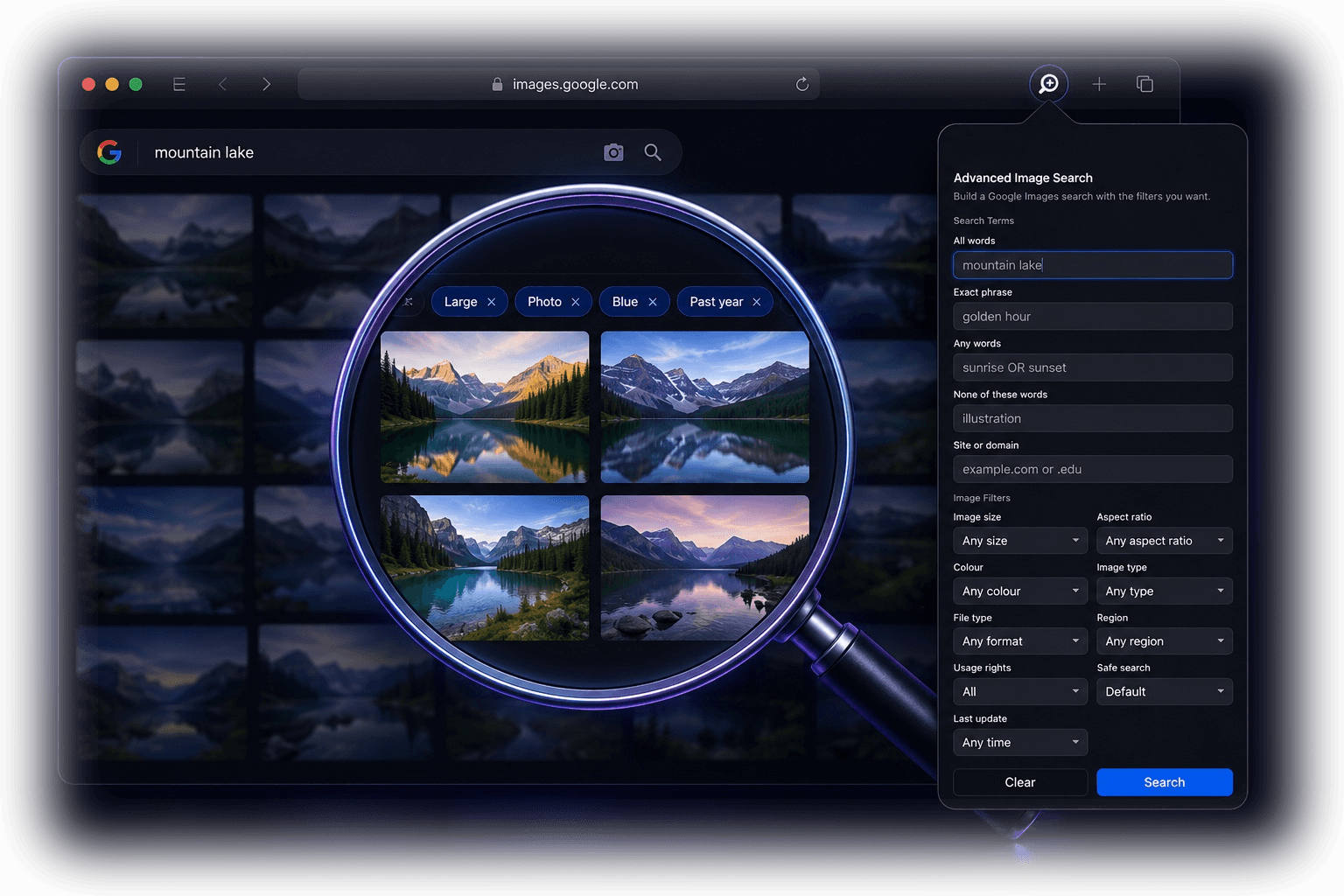
Powerful filters
Powerful image filters, right from Safari
Choose filters for image size, image type, colour, usage rights, region, file type, aspect ratio and more, then start a more precise search from Safari.
Filter by size
Choose the exact image size you need.

Filter by colour
Find images with the right colours for your project.


Filter by type
Search by image type that suits your needs.


More filters when you need them
Time, usage rights, site/domain, region, file type and aspect ratio are built in too.
Stack filters. Sharpen results.
Combine filters to narrow down results and find exactly what you're looking for.
Built for Safari
Built for Safari on
Mac, iPhone and iPad.
Advanced Image Search is designed for Safari across Apple devices, not as a generic browser extension. It looks right, works fast and feels at home on Mac, iPhone and iPad.
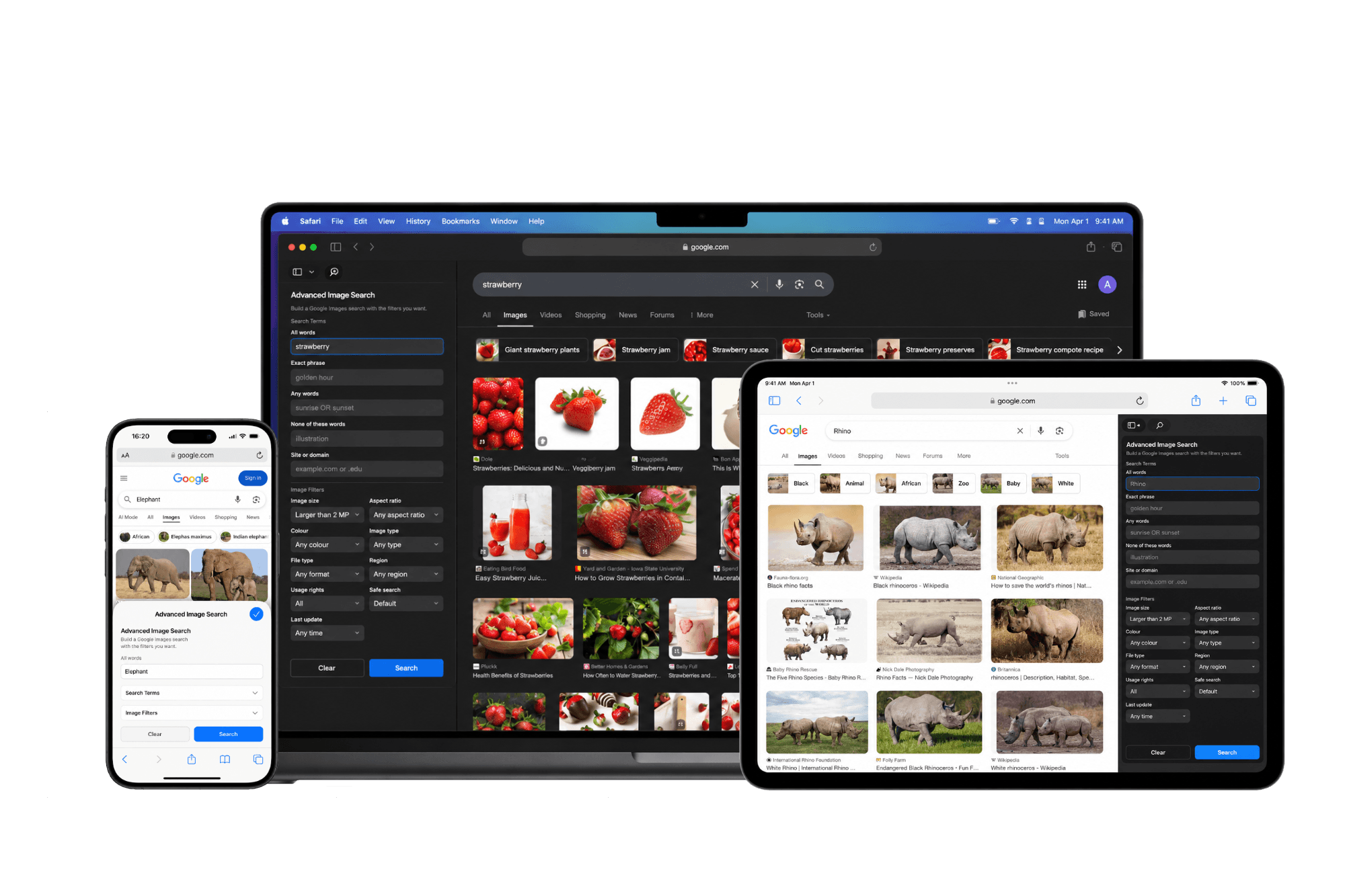
Built for Safari
Seamlessly integrated into Safari. No extra tabs or complicated setup.
Lightweight and fast
Loads instantly and gets out of your way so you can focus on your results.
Simple, private and lightweight
Advanced Image Search does not need an account and does not add a heavy dashboard. It simply helps you build more precise image searches from Safari.
Made for how you work
Faster image searches for everyday research
Designers can find reference images, students can collect research material, marketers can source campaign visuals, developers can check image formats, and writers and creators can find specific visual material faster.
Designers & Creators
Find inspiration, reference images and assets with precise filters.


Students & Educators
Find accurate images for projects, presentations and research.



Marketers & Social Media
Discover the right visuals that fit your brand and message.




Also useful for research, product teams, writers and anyone who needs specific visual material faster.
FAQ
Frequently asked questions
Quick answers to the most common questions about Advanced Image Search.
What is Advanced Image Search?
Advanced Image Search is a Safari extension that helps you create more precise image searches using filters like size, type, colour, region, usage rights, file type and aspect ratio.
Does Advanced Image Search work on iPhone and iPad?
Yes. Advanced Image Search is built for Safari and works across Mac, iPhone and iPad.
What filters can I use?
You can use filters for image size, image type, colour, usage rights, region, file type, aspect ratio and more.
Is this a Chrome extension?
No. Advanced Image Search is built for Safari.
More small Mac and Safari apps from SkidMade: try WhatDidYouSay for private Mac transcription, or browse the current app lineup.

Search smarter.
Save time. Every day.
Download Advanced Image Search for Safari and take control of your image searches.